
Configure Your Hardware to Run Efficiently
Windward System Five point of sale software can be set up in many different configurations, so it is difficult to specify the exact specifications for your business without first knowing how you operate. When you’re ready to make your purchase, our sales experts will gladly spend time with you to design your network and give you a shopping list.
We generally don’t deal in hardware, so you can rely on us to provide an independent, unbiased evaluation on your quotation.
System Five Scales to the Size of Your Business
All you need to operate Windward System Five is a Windows-based computer capable of running currently supported versions of Microsoft Windows Professional Operating Systems such as Windows 8 Pro or Windows 10 Pro (recommended). As your business needs grow, you'll need to add more users, which you could operate using a small peer-to-peer network or a dedicated client/server network that can handle anywhere from three to 200 computers, either in a single location or scattered across your business network. In any of these situations, Windward’s point of sale software will help you run your business, instead of just reporting on

- Use a wide range of workstations, printers, scanners, and other POS hardware
- Win-win! Save time at checkout, in your stock room, and your accounting office
- Improve customer service with computer based records
- Access real-time critical business information
- Easily create estimates and work orders on-the-fly
- Barcode functionality speeds up checkout and inventory control

File Servers
As the backbone of your business, your server hardware should be of server quality, not just a low-end workstation. You don’t need to spend a lot of money on one, but if you buy a discount machine to use as a server, there’s a higher probability that you will run into problems. For the type of CPU, amount of RAM and other specs you’ll need, please refer to the minimum requirements for the server software that you’re going to purchase.
Windward System Five point of sale software works well with Microsoft Windows Server 2012, 2016 and 2019 in either a 32-bit or 64-bit architecture, as the operating systems for your network. For more information, read our Networking Best Practices.
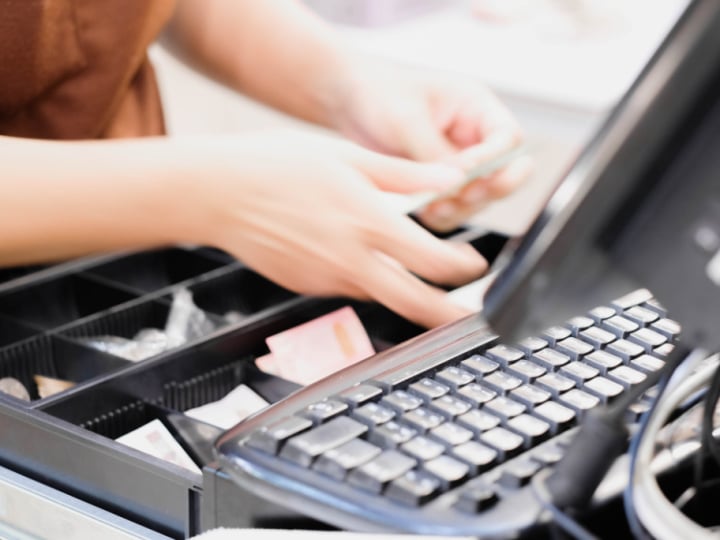
Workstations
Your workstations don’t need to be as powerful and robust as your server hardware, but faster is always better. For minimum requirements on CPU and RAM, please refer to the minimum requirements for the operating system software that you’re going to purchase with your hardware.
These machines can run Microsoft Windows 8 Pro or Windows 10 Pro (recommended). For more specific information, view our Supported Equipment List.
Printers
Laser Printers
Laser printers are the best option because they are quiet, fast and can handle images very well for printing documents that enhance your company's brand (logos, letterhead, etc.). In the following, a breakdown of other options is provided.
Receipt Printers
Generally, a receipt printer prints a receipt that’s 40 columns wide. However, a receipt can also be 80 columns wide, which is the width of a standard 8.5” x 11" sheet of paper. The 80-column format is usually printed on an impact or dot matrix printer, which allows two, three or even four copies to be simultaneously printed. This application is handy for businesses that print pick slips and packing slips at the point of sale. Thermal process 80 column printers, though not common are available. There are two basic types of receipt printers (based on print method).
Impact or Dot Matrix
These printers print approximately 10mm per second, which is relatively slow in the world of receipt printers. They require ink ribbons, which can have two colors, and they make a fair amount of noise. Their advantage is that they can simultaneously print two (or more) receipts, which can either create a paper listing of daily transactions for auditing purposes, or provide a customer copy for signature with credit card sales.

Thermal
These printers print from 70 to 150mm per second, are silent, print on treated paper, require no ribbon replacement, are capable of two-color printing and can print graphics and barcodes.
Direct thermal: The direct thermal process is more commonly used in barcode label printers because it produces a printed product that has a very long usable life, sometimes up to three years (versus one year for the regular thermal process). The direct thermal print method uses ink ribbons that are heated and then printed onto plain paper.
Connectivity Options
All types of 40-column printers have options for auto cutting the receipt once the printing is finished (actually all but 1/16th” of the paper is cut so the receipt doesn’t fall). Almost all printers come in a variety of interfaces, parallel, serial and USB. Plus, many printers are configured with an RJ-11 output jack for use with printer-driven cash drawers. This means that when an invoice is completed and is being printed, our point of sale software will send the codes to open the cash drawer.
We recommend the Symbol brand of barcode scanners, however, any scanner that supports preamble characters and uses a keyboard wedge or USB connection will work with Windward System Five point of sale software. The scanners come in different shapes and sizes: from handhelds, to counter mounted to the large flatbed scanners you see in grocery stores.
Barcode scanners use a variety of methods to read the small vertical black lines and white spaces of a barcode. The scanner actually processes the information it reads, sending the equivalent of letters and numbers to any of a number of interfaces within System Five’s point of sale software. Barcode scanners are generally of three types: closed coupled devices (CCD), linear imagers and laser scanners.
CCD
This type of scanner is often the least expensive option, but it’s limited in the size and type of barcodes it can effectively read. The barcodes must be so-called low density, and they must be flat. A low-density printed barcode is 3/8” to 1⁄2" high and it can be as long as it needs to be to convey all of the numbers and letters. Typically these barcodes are printed on 2 5/8" x 1" address-sized labels. Flat means that the scanner cannot read a label on a can or bottle, for example. CCD scanners also need to actually touch (or almost touch) the barcode to get a good read.
-1.jpg?width=1080&height=720&name=reading-barcode-2023-11-27-05-26-29-utc%20(1)-1.jpg)
Laser
At the opposite end of the quality and speed spectrum is the laser scanner. Most laser scanners will read high-density barcodes, as small as 1/8" high and can read from a distance of six inches to three feet (or more). Our point of sale software supports 2D barcode scanning if your laser scanner supports this feature. This is very useful for scanning a driver’s license and populating a customer record.
Linear Imagers
This is the most powerful of the barcode scanning technologies. A linear imager’s ability to read is nearly as good as a laser scanner, but it has the added advantage of incorporating signature capture technology and other image processing capabilities. The other important feature of a linear imager is its durability. It can handle the shock from repeated drops much better than its laser-based cousins, making it a good candidate for industrial applications.
Point of Sale Stations
Cash Drawers
When an invoice is completed and is being printed, Windward System Five point of sale software can send the codes to open the cash drawer. In most cases, the cash drawer will be hooked up to your receipt printer, but there are other methods of connecting the cash drawer to the computer.
Cash drawers come in a variety of sizes, but all basically perform the same function. Sizes range from 16" by 16" to 19" by 22”, and the determining factor for the size you choose is the location of the drawer in the sales counter. All cash drawers have at least five bill slots in their removable plastic tills. Most cash drawers have tills with locking covers, which is a good way to control cash when a business has multiple clerks.
Display Monitors
Display monitors can be exactly the same as your home or office computer display monitor, however many point of sale software applications use smaller screen to optimize the sales counter layout. Full color LCD flat monitors are available as small as 10".

Customer / Pole Displays
A pole display (or customer display) is a device that communicates messages to the customer as well as price, quantity and total information. The display is similar to a little television screen, and it usually sits atop a pole on the sales counter. The different characteristics from which you can chose from are primarily the size and the type of characters used.
The size of the characters used on a display should be legible from where the customer is standing. Sizes generally range from 5 to 25mm. The way the characters are formed (either dot matrix or segment) also affects readability, and it also affects the type of characters that can be formed on the display. For instance, dot matrix allows many more different types of characters and is generally considered more readable.
Touchscreens
A growing trend in point of sale software is touchscreens, which basically combine a mouse pointer and a display screen. They allow the user to physically point to a selection on the screen, and by touching the panel, make a selection. Touchscreens are available as flat screens, TFT or the traditional cathode ray tube (CRT). There are two technologies used to allow a touchscreen to work: pressure and resistive.
Resistive touchscreen technology is newer and we find it to be a better option than the pressure method, which actually requires a slight amount of physical pressure to bring together two invisible grids that cover the screen (the convergence of the grids along an x and y axis is sensed). The resistive method senses changes in resistance in a single grid along an x and y axis that cover the screen.
One important consideration with touchscreens is the way the screen is built and attached to a base. Because the screen is subjected to a great deal of handling, it should be framed in durable metal and have a strong metal base.
Magnetic Card Readers
Magnetic card or strip readers (generally referred to as MSRs) are simply devices that can read and send (via a cable to a computer program) the information contained on a credit card or other card with a magnetic strip. There are actually three different lines of information contained in most magnetic strips, which are referred to as tracks. Generally, credit card processing programs only need the second track to function. Some point of sale software programs require the reader itself to be programmed (usually with a pre-programmed magnetic card) to selectively read certain tracks, while programs contain code that makes the selection.
Connection to the computer is typically done by either USB or keyboard wedge. More legacy models are serial (9-pin or 20-pin) or PS2 connection types. Again, the correct connection method is determined by the POS hardware ports supported.
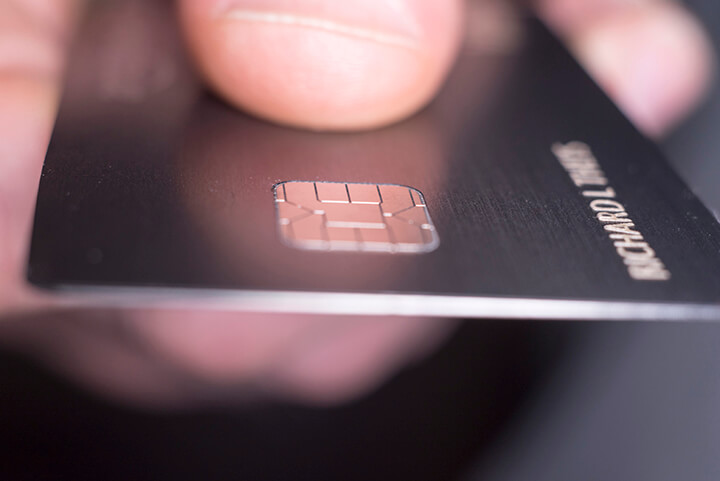
Combination Keypad and Magnetic Strip Reader
The combination of input devices works well to solve an old problem of how to mount the relatively small MSR in a way that allows a card to be dragged through it without it being pushed around the counter top. The device also helps keep the sales counter from becoming too cluttered.
Setting Up Your POS Workstation
Retail businesses rely heavily on their point of sale software system in terms of its daily use to process customer sales, especially when the system includes integrated credit card processing. As such, it’s strongly recommended that the only task performed at the POS sales station is sales. No other software program should be used. Running other software programs could result in conflicting settings, and making any other changes to the operating system simply isn’t a good idea when you consider the downside of a system breakdown.
In a network environment, it’s suggested that the POS database be placed on the POS sales station on its own partition of a hard drive for easy back up. Using this configuration, backups will be easy to perform, which means you’ll be more likely to do it.
Making It All Work Together
There are many other variations on the major types of devices mentioned here, and depending on specific needs, other options may be appropriate. The biggest concern is getting all of your devices to work together, so care must be taken in mapping out which device will use what computer resource, and that there are enough resources available. For instance, if you’ll be using a serial port for a cash drawer, and you require one for a customer display, you’ll either need to add a port to the standard computer configuration or change the cash drawer connection.
Windward System Five supports all standard point of sale hardware. To find out how to implement System Five point of sale software in your existing network, call one of our technicians today: +1 (800) 663-5750.

Invoice Profitability and Discounting
When negotiating with a customer, it's important to know your profitability before you agree to the discount. If an employee has the correct security level set, they can easily check the costs and profit margin before making a decision. If they then agree to a discount, they can either discount a single line or the entire invoice.
To make discounting easy, if you agree to a final price after taxes, you can enter that value and the system will calculate the corresponding subtotal. Another important aspect to discounting an entire invoice is that each line is proportionally discounted instead of taking the discount all off of one line. For example, if you were selling box springs and mattresses and only discounted the mattresses, the reports at the end of the month might suggest you sell more box springs and fewer mattresses, which would be incorrect.
Taxes
Taxes are charged automatically on the invoices based on several factors. This is a potentially complex area of the program as there are so many different rules in different areas. Some states and provinces have only a single tax set at a straight percentage. This makes it fairly simple, but even then there are exceptions to the rule, such as customers being tax-exempt for certain types of sales.
Generally speaking, the process works like this:
- The system looks at the customer record to see which tax zone they are in (for companies selling in more than one zone)
- The system then checks the inventory item to see if the item is exempt for each tax type
- If it's not exempt, it then checks the customer record to see if it's exempt, for each tax type
- If the item is not exempt in either record, then the tax is charged
However, the user can override the taxes and exempt the invoice manually, if required.