
If you bill funders and insurers through System Five, you may already have tools that make your billing desk faster. Since 2024, Health Billing has let you authorize a whole invoice in one pass, fix a split invoice without starting over, and bill one item to two payees in the order your insurers require. Here's what's available and how to start using it.
Built from your feedback
In 2024 we surveyed and interviewed Health Billing customers across British Columbia, Alberta and Ontario, and tested our proposed fixes with customers before we built them. You told us:
- Authorizations take too long. Adding the same authorization to every line could add hours to a large invoice.
- Mistakes after a split are painful. Fixing a missed code or wrong percentage meant recreating the invoice.
- One payee isn't always enough. Clients with dual coverage needed extra transactions to bill a second payer.
- Printed invoices should show the split. Clients and funders want to see who pays what.
Every feature below answers one of those.
Features you can use today
Multi-Auth: authorize a whole invoice in one pass
A 10-line invoice doesn't have to mean 10 separate authorizations. Add every item first, click Multi-Auth, and enter the payee, authorized-by and authorization code once.
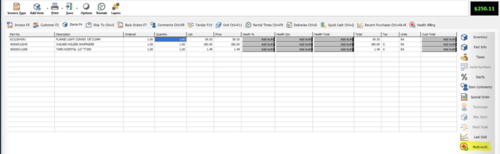
On the Line Selection tab, tick the lines the authorization covers. System Five flags any line that can't take it and tells you why, and one setting pre-selects every compatible line for you.

Prefer to work line by line? The Add Auth process is still there whenever you want it.
Unsplit: fix a split invoice without starting over
Caught a missed code or a wrong percentage after splitting? Choose Unsplit Healthbilling Invoices, pick which payee invoices to merge back, make your fix, and re-authorize with one click. Links to related orders stay intact through the merge and re-split.
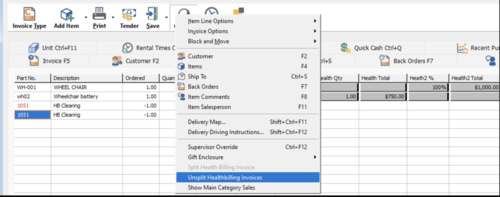
Unsplit is available on invoices that don't have a payment applied yet.
Split one line between two payees
One item can be billed to two payees, built for clients with dual coverage. Set the payees' order on the customer's Authorizations tab with the up and down arrows, so the right insurer pays first. In the example below, a $3,000 item is shared $1,500 and $1,500 between two payees.
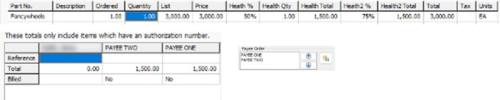
Payees you no longer use can be removed from the customer's list.
Show each payee's share on the printed invoice
Add the invoice sub-total and each payee's sub-total to any invoice design in the Invoice Designer (look under the HEALTH-BILLING items). Your client and each funder see exactly who pays what.
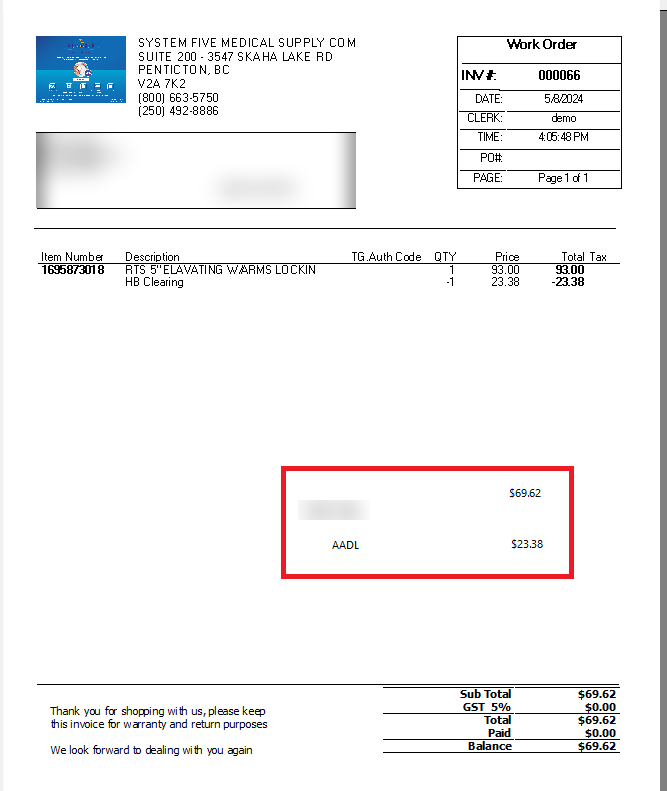
It takes a few minutes to set up, and our Support team can walk you through it.
Start using them
These features are included for System Five customers with the Health Billing Module on their licence.
- Contact Windward Support to confirm your System Five version is current and to switch on Multi-Auth.
- Not using Health Billing yet? Talk to your Account Manager about adding it.
- See it in action: watch the short video on our Health Billing Add-on page.
Share this article on